
How to Choose Automated Progress Report Software: A Buyer's Guide
Your team sends progress updates by hand, and the reports are late by Friday. Some tools promise automated reports but bury the numbers in dashboards nobody opens. Choosing the wrong software costs you hours every week.
This guide shows what automated progress report software must do, using Tasks.Bot as a working example. You will learn which features matter, what pricing to expect, and how to test any tool against your own requirements before you commit.
What Is Tasks.Bot? Who It's Built For
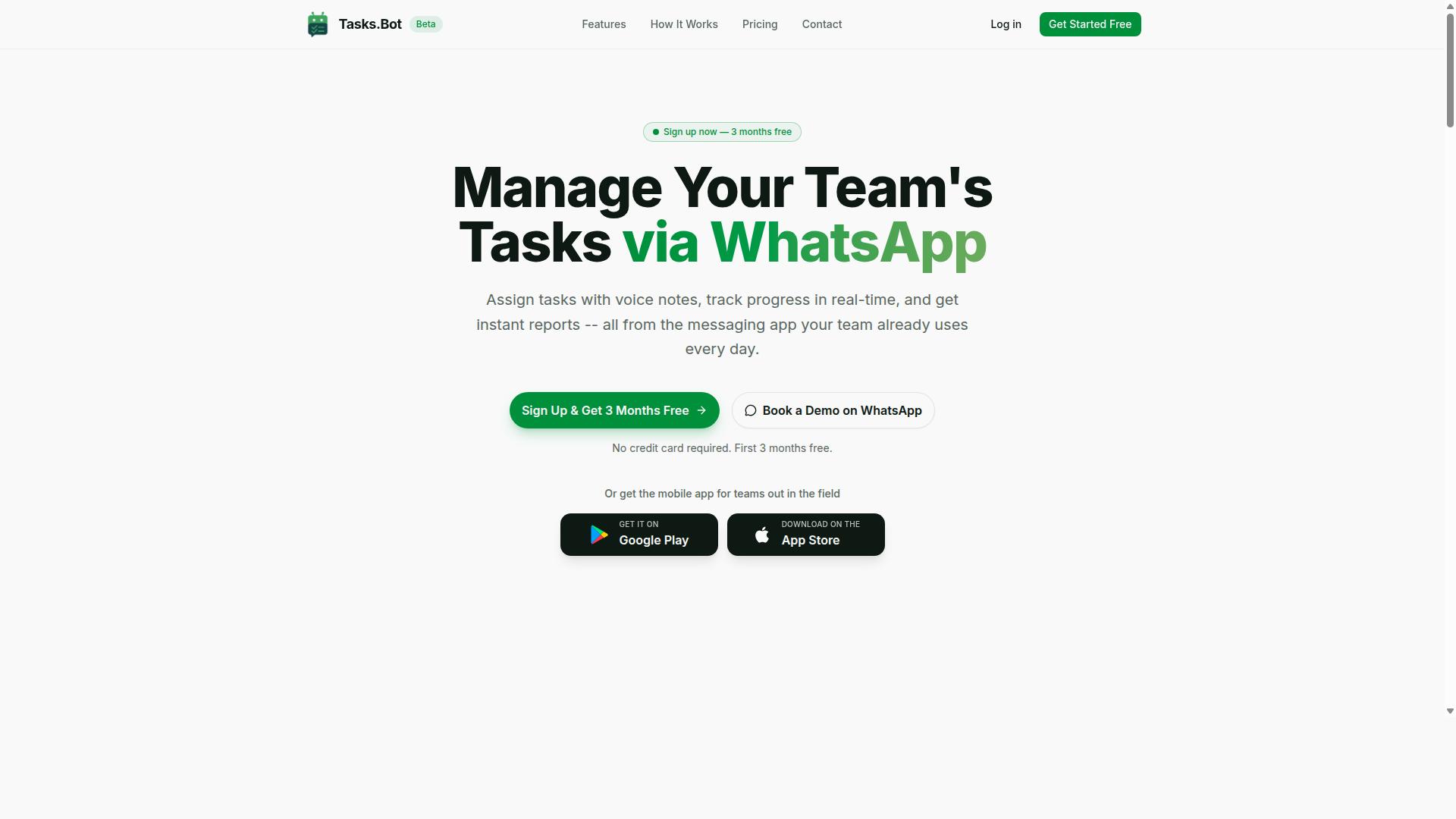
Tasks.Bot is a task management platform that operates entirely within WhatsApp, enabling teams to assign tasks, track progress, and receive reports without leaving the messaging app. For anyone weighing automated progress report software, that single design decision changes the entire evaluation. There is no new tool to roll out, no dashboard to learn, and no separate login for staff to remember.
The platform also offers a mobile app for field teams, so workers who are away from a desk can still manage their assignments. Tasks.Bot is a cloud-based SaaS product available globally, which means teams in different regions can adopt it without local infrastructure. The service is currently in beta and offers a free trial period, giving buyers a low-risk way to test it against their own reporting needs.
Tasks.Bot is built for teams that already run their daily communication through WhatsApp. That includes field staff who need task management, attendance tracking, and payroll-ready hours recorded as part of their normal workday. Instead of asking people to switch between a messaging app and a reporting tool, the platform keeps task progress and reporting automation in the same place conversations already happen.
If your team coordinates over WhatsApp and struggles to turn chat activity into usable progress reports, Tasks.Bot is designed for exactly that gap. It fits organizations that want task progress, attendance, and hours captured without forcing a new app installation on every worker.
Does Tasks.Bot Solve the Automated Progress Report Problem?
Manual progress reporting creates three recurring problems for field teams: delays, inaccuracies, and a lack of real-time visibility. When supervisors collect updates by phone, paper, or end-of-day messages, decisions get made on yesterday's information. Automated progress reporting closes that gap.
Automated progress reporting is a critical need for teams managing field operations, and Tasks.Bot addresses this by delivering instant reports and live tracking directly in WhatsApp. Team members need no new app or account, and managers see task progress, attendance, and hours without chasing anyone. The sections below explain how each capability works in practice.
Instant Reports and Live Day Tracker
Tasks.Bot generates instant reports that summarize task progress, attendance, and hours, all accessible within WhatsApp, and includes a live day tracker for real-time visibility. Reports are produced automatically, so no one has to compile them by hand at the end of a shift.
Because the output covers task completion, attendance, and payroll-ready hours, a field manager can answer common questions without opening a spreadsheet. Reports can also be customized and scheduled, which matters for teams that need a consistent daily or weekly summary for stakeholder communication and KPI tracking.
The live day tracker works alongside those reports. It shows current task statuses and updates in real time, so a supervisor can see what has been finished, what is still open, and where the day stands before it ends.
Consider a routine scenario. A supervisor checks the live day tracker mid-morning and notices one site has no completed tasks logged. Instead of waiting for an evening update, that person can follow up immediately, reassign the work, and keep the day on schedule. Later, the scheduled report arrives in WhatsApp with attendance and hours already totaled.
For buyers comparing automated progress report software, this combination of real-time dashboards and scheduled distribution is worth weighing carefully. It reduces the lag between field activity and management awareness, which is where manual reporting usually fails.
AI Task Creation via Natural Language and Voice Notes
Tasks.Bot uses AI to interpret natural language and voice notes, allowing team members to create and assign tasks simply by sending a message or voice clip in WhatsApp. That approach removes one of the biggest barriers in software selection: adoption friction.
When someone types a request in plain language, the system understands the intent and creates the task. Key details such as assignee, deadline, and priority are captured from the message itself, so there are no forms to fill in and no field-by-field setup.
The voice note feature matters most for field staff. A worker can speak a message instead of typing it, and that clip is converted into a task automatically. Employees who are on site, wearing gloves, or working in poor conditions can report and assign work in seconds.
Here is how it looks step by step:
- A field technician records a voice note in the team's WhatsApp chat describing a repair that needs a follow-up visit.
- The AI transcribes the message and extracts the essential details from what was said.
- Tasks.Bot creates the task and assigns it based on the request.
- The assignee receives the task in WhatsApp, with smart deadline reminders following if needed.
No training session and no new interface are required, because staff already use WhatsApp every day. That keeps adoption high and reduces the chance that reporting quietly stops after the first week. For teams evaluating project management tools, low-friction task capture is a practical advantage that directly supports consistent, accurate progress data.
Key Features That Matter in Progress Report Software
When evaluating progress report software, features like attendance tracking, GPS verification, and automated approvals can significantly impact team efficiency and accountability.
A buyer's guide should start with the capabilities that remove manual work: attendance tracking, location data for field staff, payroll-ready hours, approvals, and automations. These determine how much time managers spend chasing updates instead of acting on them.
Tasks.Bot delivers these capabilities natively within WhatsApp. Team members do not need to install anything or create new accounts, which keeps progress reporting tied to the place where work conversations already happen.
Attendance, GPS Tracking, and Payroll-Ready Hours
Tasks.Bot includes face-verified attendance, GPS tracking for field staff, and automatic calculation of payroll-ready hours, all managed through WhatsApp. Each feature solves a different accuracy problem.
Face-verified attendance confirms that the right person checked in, not just that a device did. This matters when teams are distributed or when shift records feed directly into pay.
GPS tracking provides location data for field tasks, so managers can confirm that work happened where it was supposed to. Payroll-ready hours are then computed from attendance and task completion, which reduces administrative overhead and the errors that come with manual timesheets.
Consider a construction company tracking worker locations and hours across multiple sites. Instead of collecting paper timesheets and reconciling them later, the team checks in through WhatsApp, location data is captured, and hours are ready for payroll without a separate data entry step.
For buyers comparing software, this combination is a strong signal. Attendance, location, and hours live in one system rather than three. These features are part of the Full Access plan.
Approvals, Automations, and Smart Deadline Reminders
Tasks.Bot streamlines workflows with approval processes, automated task assignments, and smart deadline reminders that trigger within WhatsApp. Together, they cut the back-and-forth that slows projects down.
Approvals work where managers already are. A manager can approve or reject a task directly in WhatsApp, and the decision is recorded with an audit trail. That trail matters for accountability and for reviewing what was approved, when, and by whom.
Automations handle the repetitive coordination. Tasks can be assigned automatically based on rules, so the right person receives work without a manager manually routing it. Smart deadline reminders then adapt based on task priority and user behavior, rather than firing the same alert at everyone.
Picture a marketing team running content reviews. When a draft is ready, an automation assigns the review to the correct editor, and reminders escalate as the deadline approaches. Nobody has to remember who owns the next step.
The time savings compound. Managers spend less effort assigning and chasing, and more on the work itself. For a buyer, the question to ask is simple: does the software reduce coordination effort, or just move it into another tool?
Pricing and Plans: What You'll Pay
Tasks.Bot offers a single 'Full Access' plan with all features included, priced at ₹200 per member per month or ₹1,200 per year per member, with pricing available in both Indian Rupees and US Dollars.
That structure is unusual in the automated progress report software market. Many vendors split reporting, dashboards, and integrations across tiered packages, then charge extra when a team grows or needs a capability it did not buy upfront. Tasks.Bot avoids that entirely with one plan and one price per member.
For buyers working through a software selection process, a flat model removes a common source of friction. There is no need to forecast which tier a team will need in year two, and no upgrade negotiation when reporting automation becomes central to project management workflows.
| Plan | Price | Billing Cycle |
|---|---|---|
| Full Access (monthly) | ₹200 per member per month | Monthly |
| Full Access (annual) | ₹1,200 per year per member | Annual, save 50% |
The annual option saves 50%, or ₹1,200 per year per member, compared with paying month to month. For a team of ten, that difference is meaningful budget that stays available for other project needs.
Currency selection matters for distributed teams. Tasks.Bot displays a 'Select currency' option with Indian Rupee and US Dollar choices, so international buyers should confirm the currency at checkout before committing.
Comparing cost to value is where per-member pricing becomes easier to judge. Automated reporting replaces hours of manual compilation, chasing updates, and formatting status decks each week. Even modest time savings across a team typically outweigh a per-member subscription, which is the practical way to evaluate any reporting automation purchase.
Tasks.Bot is currently in beta, and a refund policy exists for buyers who want that protection while evaluating the tool. New users also get 3 months free, with no credit card required, and can cancel anytime. That trial period gives teams room to test reporting workflows against real projects before any payment.
There are no hidden fees and no tiered plans to decode. What you see is the full feature set at one rate, which keeps vendor evaluation simple and predictable for finance and operations leads alike.
Trust Signals: Beta Status, Encryption, and Refund Policy
Tasks.Bot is currently in beta, which means it is actively evolving, and it offers a refund policy to mitigate risk for early adopters. Those two facts say a lot about how the product is positioned. A beta label tells you the software is still being shaped, and a refund policy tells you the vendor accepts that some buyers may not be the right fit yet.
For anyone building a buyer's guide shortlist for automated progress report software, these signals matter as much as feature lists. They speak to how transparent a vendor is about where the product stands today.
Below is how to read each trust signal and what to verify before you commit.
What beta status actually means
A beta release signals ongoing development. Features can change, new capabilities can appear, and rough edges may still exist. That is not automatically a negative. Early buyers often get closer access to the team and more influence over the roadmap.
The trade-off is predictability. If your project management workflow depends on rock-solid reporting automation, ask the vendor how often updates ship and how changes are communicated. A beta product may improve quickly, but it can also shift under your feet.
Tasks.Bot also offers a Book a Demo on WhatsApp option on its website, which gives you a direct way to ask about the current state of the product before you rely on it. Use that conversation to confirm what is stable and what is still in flux.
Encryption and data security
The verified facts for Tasks.Bot do not list specific encryption standards or certifications, so there is no basis for claiming any. What can be said is that platforms in this category typically rely on standard security practices for WhatsApp-based services, and buyers should confirm the details directly.
Data security deserves scrutiny in any vendor evaluation, especially when reports touch budgets, resource allocation, or stakeholder communication. Ask pointed questions rather than accepting vague assurances:
- What encryption is used for data at rest and in transit?
- Where is data stored, and under which jurisdiction?
- Who inside the vendor can access customer data, and under what controls?
- How are user permissions and audit trails handled?
- What happens to your data if you cancel?
Because the service runs through WhatsApp, also ask how message data is handled on that channel and whether any reporting content leaves the platform. Get answers in writing.
Why the refund policy reduces risk
The website mentions a refund policy in the footer, which is a meaningful signal for a product still in beta. A refund window turns an uncertain purchase into a reversible one. You can test the software against your real reporting needs without betting the full cost on a beta release.
Before relying on it, read the terms carefully. Check the refund window length, what qualifies, and how to request one. Policies vary widely, and a stated policy in a footer is only useful if you understand its conditions.
Combine the refund policy with a demo conversation and you get a low-risk path: see the product, ask hard questions about data security and stability, then decide with an exit available if it does not fit.
What to verify before you buy
Trust signals age quickly, especially for a product in active development. Details that were accurate last month may have changed. Confirm the current status before you commit:
- Check whether the service is still in beta or has reached general availability.
- Ask the vendor directly for current security and encryption details.
- Request the refund policy terms in writing, not just the footer summary.
- Confirm how product updates and changes are communicated to customers.
- Ask what support looks like during the beta period.
None of this requires technical expertise. It requires asking the vendor, not assuming. A vendor confident in its product will welcome the questions.
The verdict on trust
Tasks.Bot presents the signals of a legitimate, transparent vendor. It is open about being in beta rather than hiding it, it publishes a refund policy, and it offers a direct demo channel through WhatsApp. Those are the behaviors of a company that expects scrutiny and is prepared for it.
Beta status is not a red flag here. It is an honest label on a product that is still growing, paired with a refund policy that protects you while it does. Verify the current details with the vendor, read the refund terms, and treat the demo as your chance to test the fit. Do that, and the trust question answers itself.
Who Should Choose Tasks.Bot
Tasks.Bot is ideal for teams that already use WhatsApp for communication, particularly those with field staff who need task management, attendance tracking, and payroll-ready hours. If your daily coordination already happens in chat threads, the software meets your team where it already works instead of forcing a migration to a new platform.
The site notes that hundreds of teams already use the service, which suggests the product has found a clear audience rather than trying to serve everyone. That focus matters during software selection: a tool built for a specific way of working usually outperforms a general-purpose platform for the teams it was designed around.
Below are the profiles that get the most value from Tasks.Bot, followed by the situations where a different category of tool makes more sense.
Small to medium-sized teams. Teams without a dedicated project management office tend to benefit most. There is no complex setup to administer and no separate system for staff to learn, because the workflow lives inside a messaging app the team already opens every day.
Field service businesses. Technicians, installers, and maintenance crews work away from a desk. Tasks.Bot lets them receive assignments, mark progress, and log attendance without returning to a computer, which keeps task progress visible to the office in something close to real time.
Construction and delivery operations. These teams run on shifting daily schedules and dispersed crews. Attendance tracking and payroll-ready hours are especially relevant here, since hours worked on site or on the road directly feed payroll and client billing.
Sales teams working from the field. Representatives who spend the day visiting clients need a lightweight way to confirm completed activities. A WhatsApp-native tool removes the friction of opening a separate reporting app after every stop.
- Team size: small and mid-sized groups where one or two people coordinate the work
- Work style: mobile-first, with staff who are rarely at a desk
- Communication: WhatsApp is already the default channel
- Reporting need: attendance, hours, and task status rather than multi-phase project plans
Who might not be a good fit. Teams that need complex project management features such as Gantt charts or extensive integrations will likely find Tasks.Bot too narrow for their needs. Those capabilities belong to full project management suites, not to a chat-based task and reporting tool.
Organizations that do not use WhatsApp are also a poor match. The core value comes from working inside that channel, so a team standardized on email, a corporate intranet, or another messaging platform would lose the main advantage.
Large enterprises with layered approval chains, formal change management processes, or strict procurement requirements may also need more administrative depth than a focused tool provides. That is not a flaw. It simply reflects the audience Tasks.Bot was built to serve.
The practical test is straightforward. If your coordinators already send task instructions through WhatsApp and your staff reply with updates, photos, or completion messages, Tasks.Bot formalizes a habit that already exists. If your team needs dependency mapping, resource leveling, or a wide integration ecosystem, evaluate a broader platform instead. Choosing the right category of tool first makes every later step in this buyer's guide easier.
How to Evaluate Tasks.Bot Against Your Requirements
To determine if Tasks.Bot fits your needs, create a checklist of must-have features such as automated reporting, attendance tracking, and integration with existing tools. This checklist becomes your measuring stick. Without it, software selection turns into guesswork.
Tasks.Bot is a SaaS product built around WhatsApp and mobile apps, and it is available worldwide. That global reach matters during vendor evaluation because it removes geographic limits from your shortlist.
Step 1: Document your pain points. Before comparing any feature, write down what is actually broken in your current process. Is reporting automation missing? Are task updates buried in chat threads? Do managers spend hours chasing status?
Group these issues into categories: task progress, attendance, reporting, and stakeholder communication. Each category should map to at least one required capability on your checklist.
Step 2: Compare Tasks.Bot's offerings against that list. Tasks.Bot supports AI task creation, instant reports, and WhatsApp-based access. Check each item against your documented needs and mark it as met, partially met, or unmet.
Ask specific questions during this comparison:
- Does it work together with your payroll system?
- Can it handle your team size today and in twelve months?
- Does instant reporting cover the KPIs your stakeholders expect?
- Will your team actually use a WhatsApp-based workflow?
Step 3: Consider scalability and pricing. Think about headcount growth, added locations, and new reporting requirements. A tool that works for ten people may strain at a hundred.
Pricing models in this category often scale by user count or feature tier. Confirm which model applies to you and how costs shift as your team expands. Tasks.Bot is available in multiple currencies, which simplifies budgeting for international teams.
Step 4: Test the free demo via WhatsApp. A demo reveals more than any feature list. You see the interface, the response speed, and how reports actually look.
Bring real scenarios to the demo. Ask how attendance tracking appears in a report. Request a sample task created through AI task creation. Evaluate whether the output matches what your stakeholders receive today.
Use this sample checklist to keep your evaluation structured:
| Checklist Item | What to Confirm |
|---|---|
| Automated reporting | Instant reports match your KPI tracking needs |
| Attendance tracking | Coverage for your team structure and shifts |
| AI task creation | Fits how your team assigns and updates work |
| WhatsApp access | Works for your team's devices and habits |
| Payroll integration | Connects to the system you already run |
| Team size capacity | Handles current headcount and growth |
| Currency support | Billing works in your operating currency |
| Free demo | Tested with your real reporting scenarios |
Score each row honestly. If most items are met, Tasks.Bot is a strong candidate. If several are unmet, note whether those gaps are dealbreakers or nice-to-haves.
The final step is a verdict, not a feeling. If Tasks.Bot clears your must-have list, handles your team size, and fits your budget in your currency, the evaluation has done its job. A structured checklist turns a difficult software selection into a clear, defensible decision.
Final Verdict: Is Tasks.Bot Worth It?
Tasks.Bot is a compelling solution for WhatsApp-centric teams seeking automated progress reports and field staff management, but its beta status and single-plan pricing may give some buyers pause. The verdict depends less on the software itself and more on whether your team's working style matches what Tasks.Bot was built to do.
For the right buyer, the strengths are clear and practical. For everyone else, the limitations are just as worth understanding before committing.
Where Tasks.Bot stands out:
- WhatsApp-native design. The platform works inside the messaging app your field staff already use daily, which lowers training time and adoption friction.
- AI-powered task creation. Tasks can be set up with AI assistance instead of manual data entry, saving time for supervisors managing large teams.
- Instant reports. Progress updates reach managers without the usual chase-and-compile cycle that slows down reporting automation.
- Attendance and GPS tracking. Field teams can be monitored for presence and location, which supports accountability in distributed operations.
- Affordable flat pricing. A single plan keeps pricing models simple, with no tiered feature gates to decode during vendor evaluation.
Where buyers should think twice:
- Beta status. The product is still in beta, so some features may evolve and long-term stability is less proven than with mature platforms.
- No tiered plans. A flat structure suits small teams but gives larger organizations little room to scale features selectively.
- Reliance on WhatsApp. Teams that avoid WhatsApp or need channel-agnostic workflows may find the model restrictive.
Weighing these against each other, Tasks.Bot fits best with small to mid-sized field teams that already run on WhatsApp and want reporting without a heavy setup. It is less suitable for enterprises that need deep integration capabilities, granular user permissions, or advanced compliance controls out of the box.
If your operation lives in WhatsApp and your main pain is chasing progress updates, the value proposition is strong. If your needs lean enterprise-grade, treat Tasks.Bot as a promising option to revisit as it matures.
To explore whether it fits your workflow, reach out directly. You can contact Tasks.Bot by phone at +91 97143 42522 or by email at hello@tasks.bot to request a demo or ask for more information.
Frequently Asked Questions
Do my team members need to download an app or create new accounts to use Tasks.Bot?
No. Tasks.Bot operates entirely within WhatsApp, so your team can assign tasks, track progress, and receive reports without installing anything or creating new accounts. There's also a mobile app available for field teams who need it. This makes onboarding fast for teams that already communicate on WhatsApp.
How much does Tasks.Bot cost, and what's included?
Tasks.Bot offers a single 'Full Access' plan with all features included, so you don't have to compare tiers. Pricing is available in Indian Rupees (₹) and US Dollars ($), with a monthly option at ₹200 per member per month and an annual option at ₹1,200 per year per member (a 50% saving). For current $ pricing, check the website or reach out to the team.
Can Tasks.Bot handle task creation for field staff who aren't comfortable typing?
Yes. Tasks.Bot uses AI to understand natural language and voice notes, so tasks can be created simply by speaking. It also supports tasks on a map, live day tracking, and face-verified attendance, which are useful for teams working in the field. Payroll-ready hours are captured as part of this.
What kinds of reports and reminders does Tasks.Bot provide?
Tasks.Bot delivers instant reports and smart deadline reminders directly within WhatsApp, along with approvals and automations to keep work moving. Because everything happens in the messaging app your team already uses, updates and reports are easy to see without switching tools. This helps managers stay on top of progress without chasing people.
Is Tasks.Bot available in my country?
Tasks.Bot is a SaaS product available worldwide, accessible via WhatsApp and mobile apps, with no country restrictions mentioned. As long as your team uses WhatsApp, you can use Tasks.Bot. The service is currently in beta, so it's worth booking a demo to confirm it fits your workflow.
How do I see Tasks.Bot in action before buying?
You can book a demo on WhatsApp directly from the Tasks.Bot website, which lets you experience the product in the same place your team would use it. You can also contact the team at hello@tasks.bot or +91 97143 42522 with questions. The site also mentions a refund policy, so it's worth reviewing the terms before you commit.
Recommended Resources: